VSN Updates – 2025

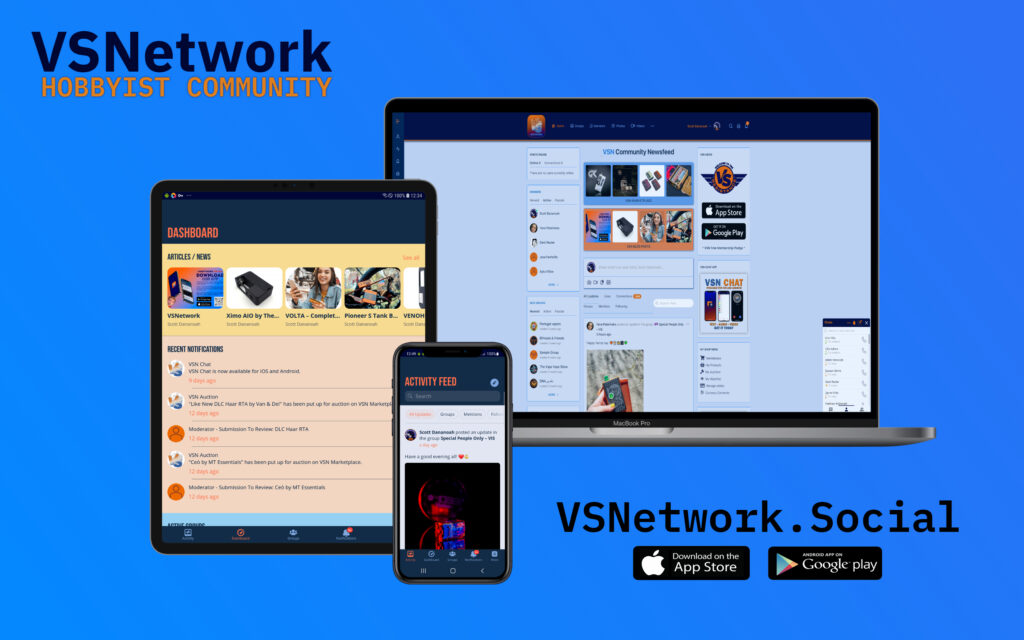
Engagement, user satisfaction, and seamless operation are the pillars upon which thriving online communities are built. At VSNetwork, we are committed to fostering these pillars through continuous improvements and additions to our platform. Our latest update on the VSNetwork Platform and App, is tailored to provide you and your community with more power, flexibility, and ease of use.
In this post, we dive into the specifics of these updates, exploring how each new feature and enhancement is geared toward making your experience smoother and more enjoyable.
New Features
Social Login
Social login (also known as social sign-on or social SSO) is an authentication method that enables users to log in to apps using their existing social network accounts to confirm their identity. For example, they’ll click “Sign in with Facebook” on an app’s login page, grant Facebook permission to share their identity details with the app. It lets users access the app or website without having to create a new set of credentials from scratch—or remember yet another password.
The social login will sync in the profile photo and profile fields from outside networks as allowed by each network.


The Login / Signup process, breaking down into four main steps:
- At the login screen of website and or app, users are prompted with options to “Sign in with…” their chosen social account. Common examples include Facebook or Google.
- Users select their account of choice and are redirected to a login.
- Users agree to one or more permissions prompts provided by the social platform. These “scopes” govern what data the user agrees to share between the social account and the app they are trying to access.
- The social platform confirms users’ identity and the user is logged in to website and or app.
Pin to Activity
The introduction of the “Pin to Activity” feature is a noteworthy advancement in fostering better communication and visibility within the community. Here are the specifics of this feature:
Activity Feed Pinning: Site administrators now have the privilege to pin posts to the site-wide activity feed. This function serves as a mechanism to highlight important announcements or content that is relevant to the entire community.
Group-specific Pinning: Within individual groups, the group organizer or moderator has the ability to pin posts to the top of the group’s activity feed. This could be used for pinning group rules, key announcements, or any other vital information that group members should see immediately.
Enhanced Visibility: By pinning posts, admins and organizers ensure that critical content remains visible and easily accessible, amidst the continuous flow of new posts and activity.
Group Subscriptions
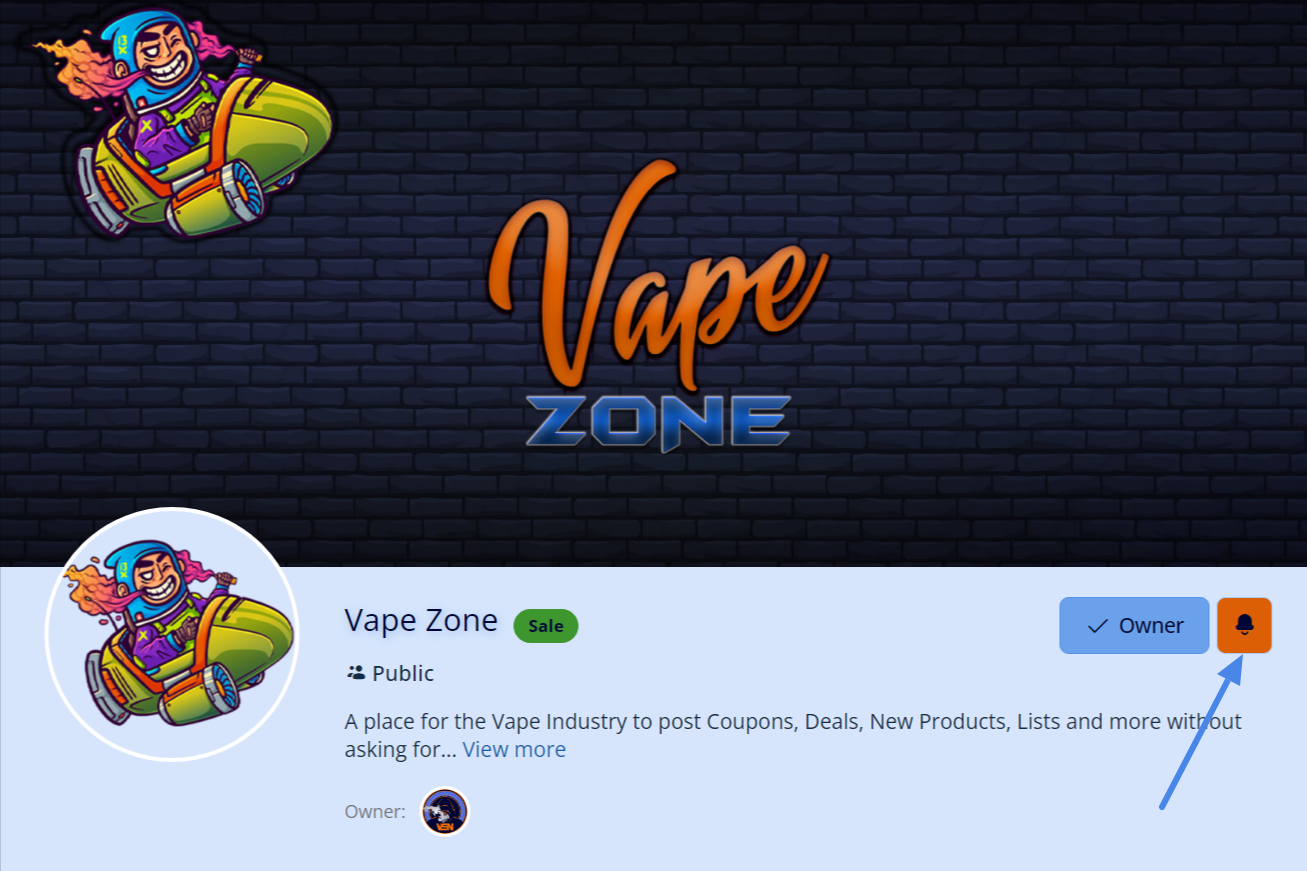
Group members can now click the bell icon to subscribe to the group. This will allow them to be notified whenever a new post is submitted in the group. Users can also manage all their Subscriptions on the Notification Settings.
Reactions / EMOJIs are now supported on Website and App

We’ve introduced a variety of emotions to share on activity posts and comments including likes, hearts, laughs, and more.
Editable Activity Comments
Just like with activity posts, you’ll be able to edit your comments.
VSN Unified Notification System

The VSNetwork notification system allows members to get notified when they are mentioned, receive a Message, Comments, Replies, Group updates, new products and more.
Members can easily manage their notifications for Email, Web, and App all from a single page.
Members can toggle on and off the option to receive web push notifications from their Account > Notification Preferences page on the website frontend.
Turn Off / On Commenting On Activity Posts
Admins can now exercise greater control over discussions with the Close Comments feature. This essential moderation tool enables admins to selectively close comments on individual posts, providing a valuable mechanism for managing engagement levels and fostering a productive environment. By implementing this feature, admins can effectively moderate discussions, ensuring that conversations remain on-topic and conducive to community growth.
Turn Off / On Notifications For Activity Posts
In the latest update, users can now take charge of their notification preferences with the introduction of the Turn Off Notifications feature. This empowers users to tailor their engagement by selectively opting out of notifications for specific posts, ensuring a more personalized and focused user experience. By giving users greater control, VSNetwork enhances user satisfaction and engagement, fostering a more conducive environment for meaningful interactions.
Scheduled Post

Schedule Activity posts to be published at a specific date in the future instead of immediately.
Auto Generated Profile Pictures Using Member Names

Generated profile pictures for members will use the initials in their name. For example, if the member’s name was “John Smith”, their default profile picture would say “JS”.
Added TikTok to Social Network Links
Users can now link their TikTok profiles to their BuddyBoss profiles, fostering a more connected community experience.
Search Media by Description
We understand the importance of effective content discovery. That’s why we’ve updated our media search to use descriptions associated with the media during upload. This enhancement simplifies the process of locating specific media files.
VSNetwork App
Mark All Notifications as Read
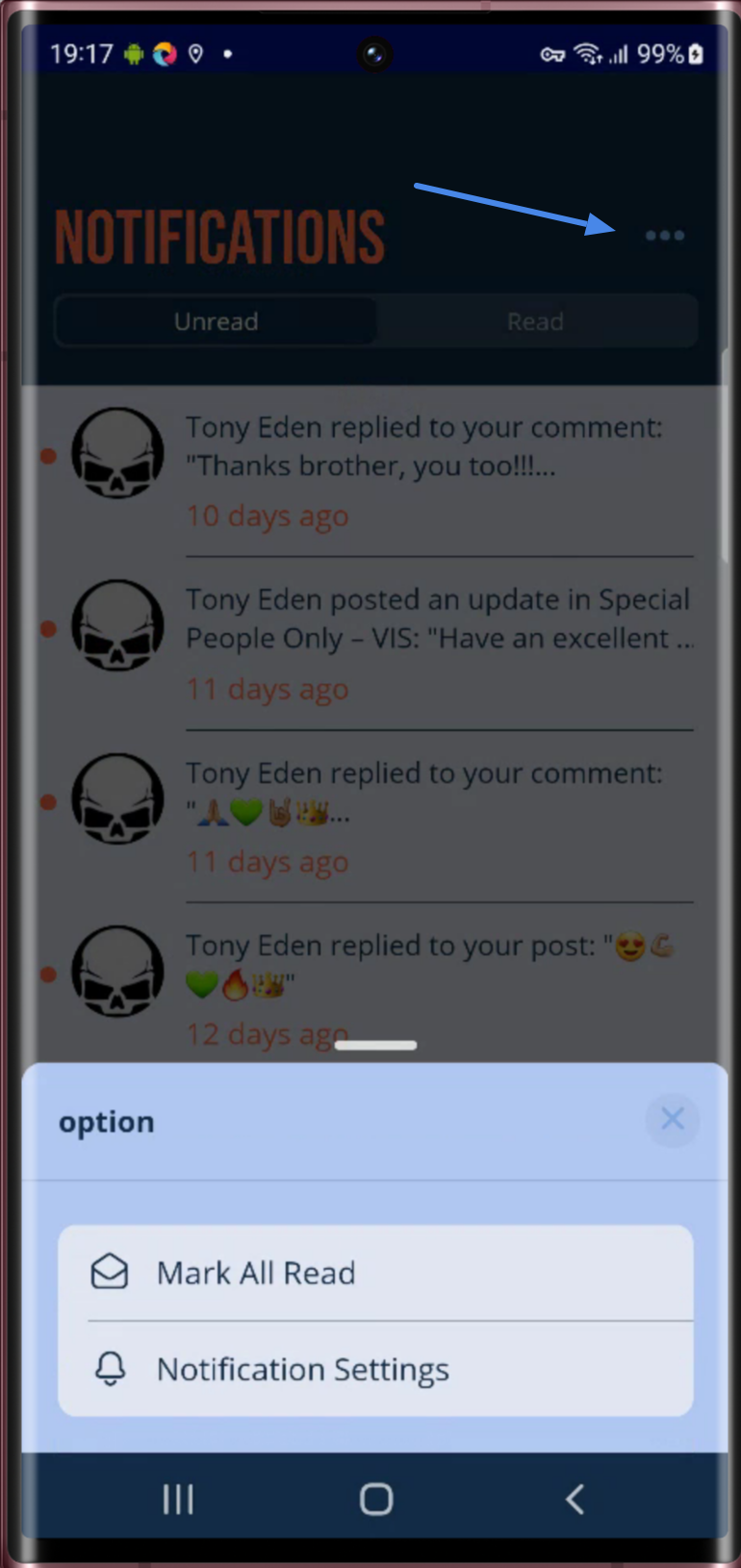
Managing a flood of notifications can be daunting. To streamline this process, we’ve introduced our “Mark All Notifications as Read” feature into the app, allowing users to clear their notification screen in one go.
This update is all about convenience, enabling you to refresh your notification space quickly and focus on what matters most. In addition to this, we’ve made it easier for your users to update their Notification Settings from the same screen.
Scheduled Post – Coming Next Update For iOS and Android

Schedule Activity posts to be published at a specific date in the future instead of immediately.
Notification Gestures
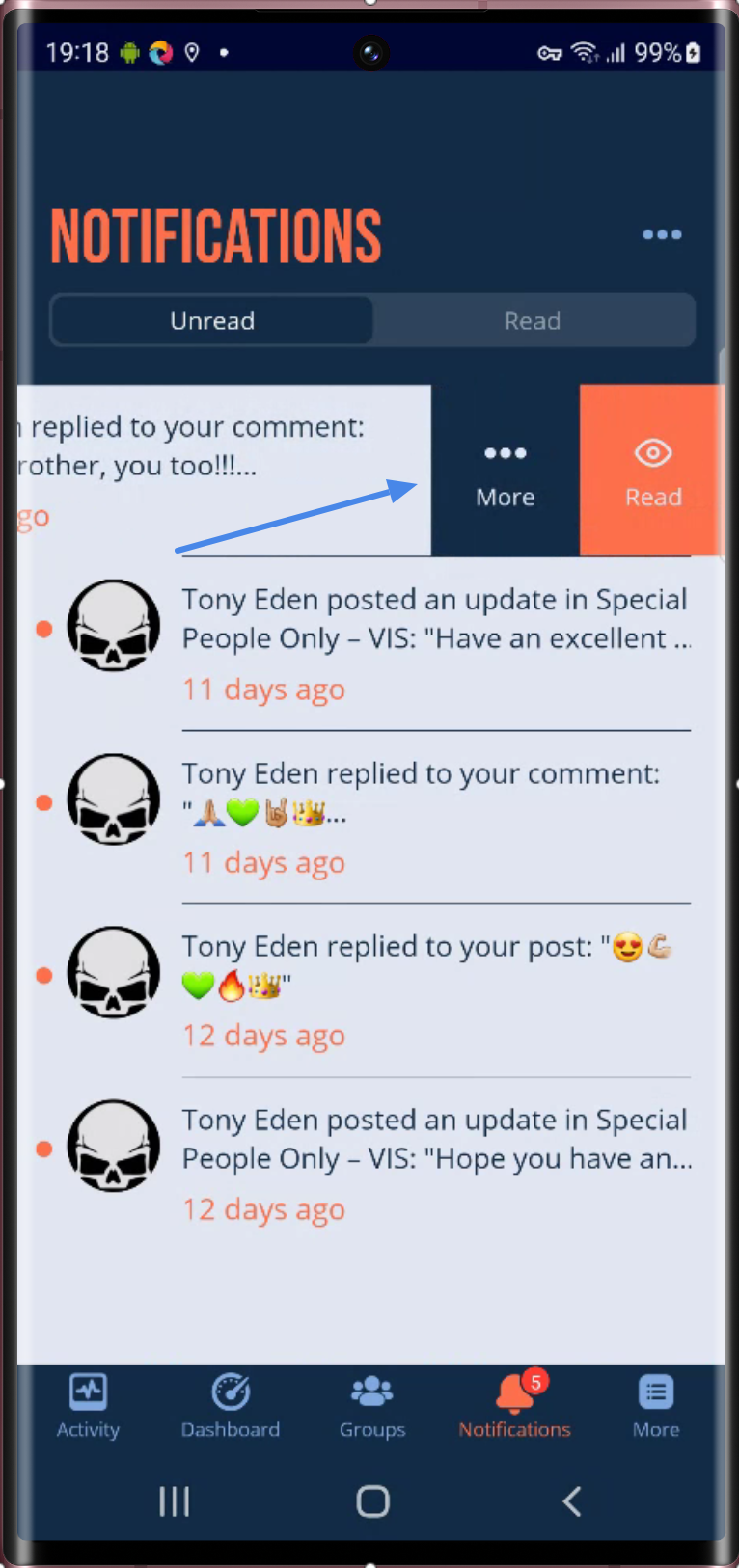
Notification Screen interactions just got an upgrade with new swipe gestures. This enhancement introduces swipe functionality, making it easier than ever to manage your notifications on the fly. With a simple swipe, you can mark each notification as read, enhancing your user experience and efficiency.
Post Bookmarks
In recent times, we’re seeing the trend of using the blog post feature more and more by the app owners to increase engagement. With that in mind, we’ve launched a blog post bookmarking feature that allows app users to save blog posts to a single page for reading later. This addition will improve engagement with the content you create and help users keep track of their favorite posts. More improvements to the blog posts will be available soon.
New Features Coming Soon To The VSNetwork…
- Order the activity feeds (by trending, most comments, etc)
- Hashtags
- Improved Group Management
- Dark Mode
- Enhanced Post Sharing
- Enhanced Header Bar In App
- Improved Member Verification System
- Enhanced Landscape Mode For App
- and much more…
* We are exploring different ways we can implement AI technologies into the Website and App.




Responses